
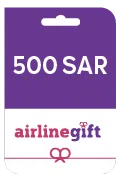
Airline Gift gift cards at PayCard are delivered as an instant code shown on your order page right after payment and sent to your email. 4 packages from 588.50 SAR to 5,221.75 SAR. Pay with mada, Visa, Mastercard or Apple Pay.
Questions about Airline Gift at PayCard
How much does Airline Gift cost at PayCard?
Prices start at 588.50 SAR for Gift Card Airline Gift 500 Saudi Riyal and go up to 5,221.75 SAR for Gift Card Airline Gift 5000 Saudi Riyal, across 4 available packages. Prices are in Saudi riyals.
How do I receive my Airline Gift code?
Choose a package and pay. The code appears on your order page as soon as payment is confirmed and is also sent to your email; then redeem it in the app or store.
How long does it take to get the code?
The code is shown as soon as payment is confirmed.
Is it safe to buy from PayCard?
Payment goes through licensed payment gateways (mada, Visa, Mastercard, Apple Pay or stc pay) and your card details are never stored by the store.
About Airline Gift
Airline Gift is a travel gift card service that lets you book flights and other travel options on its website, searching and comparing to find what suits you. The Airline Gift eGift card gives you credit you enter at checkout to cover all or part of a booking.
Card Features
- Flexible credit for travel bookings on the website.
- Large denominations such as 500, 1000, 2000 and $1,333.33.
- Valid for 12 months from purchase.
- A special gift for honeymoons and family holidays.
Gift a whole trip without fixing the destination or dates in advance. Expired cards cannot be extended, exchanged or refunded.
Packages currently available for Airline Gift (4): $133.33, $266.67, $533.33, $1,333.33. Each one is delivered as a digital code after payment, which you redeem in your account or on the platform redemption page.
FAQ
How long is the card valid?
12 months from purchase.
Where do I use it?
On the Airline Gift website, entering the code at checkout when booking.
When do I get the code?
You receive the code once your order is completed and can gift it to a traveller.
Reviews
Reviews here are from customers who actually completed their order — Be the first to rate after purchase.
How to use
- Visit airlinegift.com and register an account.
- Click Book Trip | Redeem and search for what you need.
- Once you choose, enter the details of everyone on the booking.
- At checkout, paste your gift card code into the redemption box and click Submit.
- Accept the terms and click Order Now; a confirmation email follows.