
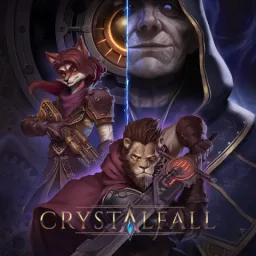
Crystalfall top-up at Shortcut is delivered directly to your account by player ID, with no password needed. 2 packages from 35.25 SAR to 65.25 SAR. Enter your ID, choose a package and pay; you can follow the order status from your order page until it is delivered.
Questions about Crystalfall at Shortcut
How much does Crystalfall top-up cost at Shortcut?
Prices start at 35.25 SAR for 100 credits and go up to 65.25 SAR for 200 credits, across 2 available packages. Prices are in Saudi riyals.
How do I top up Crystalfall by player ID?
Type your player ID, pick a package and complete payment; the top-up goes straight to your account. We never ask for your password, so double-check the ID because a delivered top-up cannot be reversed.
How long does the top-up take?
Processing starts automatically after payment and usually completes within minutes.
Is it safe to buy from Shortcut?
Payment goes through licensed payment gateways and your card details are never stored by the store.
About Crystalfall
Crystalfall is a top-down action RPG for PC in which you fight monsters, collect loot and build your character through skills and gear in a dark fantasy world. Its store currency is Credits, used for cosmetic items and extras in the in-game store.
This category is simple, with just two packages: 100 credits and 200 credits, enough for one or more cosmetics or extras depending on store prices. The top-up goes straight to your account using your player ID, with no code and no password. If you need more, you can order several packages to the same ID and each one is added to your balance.
Copy your player ID from inside the game rather than typing it, and make sure it is the account you actually play on. You can also top up a friend by entering their ID, which makes a nice gift between players.
- Two packages: 100 and 200 credits
- Direct top-up by player ID
- Usually credited within minutes
FAQ
Where is my Crystalfall Player ID?
On your in-game profile page, next to or under your character name.
What are Credits for?
Cosmetic items and extras in the in-game store.
Can I order more than one package?
Yes. Every package sent to the same ID adds to your balance.
What if I enter the wrong ID?
The top-up goes to the ID entered and cannot be undone, so check it first.
Reviews
Reviews here are from customers who actually completed their order — Be the first to rate after purchase.
How to use
- Open Crystalfall and go to your profile page.
- Copy the Player ID shown next to or under your character name.
- Choose 100 or 200 credits.
- Paste the ID into the field and review it.
- Complete the order and wait for delivery.
- Check your Credits balance in the in-game store.